David Runciman ·
The best AI coding assistants for Salesforce in 2026
AI has made it way faster to build your Salesforce changes. You can ask Claude Code or Cursor for a Flow or an Apex trigger and get a first draft in seconds. But is it safe to ship? The State of Salesforce DevOps 2026 shows that only 40% of teams are confident in the accuracy and security of their AI-generated changes.
Every Salesforce team now needs two things to scale their output safely and efficiently: an AI setup that produces trusted changes; a streamlined DevOps process that handles the new volume of change.
This piece covers the options you have for getting AI-generated Salesforce changes. We’ll look at four categories: generic AI coding tools, Salesforce’s own AI, Salesforce-specific agents from newer vendors, and agents from established Salesforce DevOps platforms.
What should you look for in an AI coding assistant for Salesforce?
To assess how well your AI is performing, you need to identify the criteria for what good looks like. Different teams will care more about different things, but these are five key questions to answer.
How many of your AI changes are actually deployable?
If your AI outputs always need a lot of rework before you actually deploy, it’s not working well enough. No AI will have a perfect record, but the real productivity gains come from having AI that contributes like a teammate. For teams with version control, the proportion of pull requests with AI-generated changes that your team merges is a good measure of trust in AI outputs.
How well does it understand your org and pipeline?
AI needs context. It needs to see your org’s existing metadata and ideally other in-flight work, so the changes it builds will work in your real environments — and not cause conflicts with other changes. Context also helps AI to match your org’s standards, keeping your code base consistent and easier to maintain.
Who on your team can use it?
AI makes it easier for other teams to contribute changes, not just admins and developers. RevOps teams and business analysts can use agents to build the changes they need rather than contributing to the development team’s backlog. But they’re not likely to use AI that lives in the IDE.
How easy is it to ensure governance and security?
Powerful tools bring risks as well as rewards — and AI is clearly no exception. The access and permissions AI inherits must be managed carefully, which can seem in tension with the need for context. And not only does AI need to be secure, many teams will need to demonstrate their governance with an audit trail of changes. Humans are still responsible for the changes AI makes to our systems.
What will it cost to run and maintain?
We’re still in a period where AI can seem free to the Salesforce team, as it’s funded centrally — but that’s changing quickly. AI is also disrupting traditional pricing models for vendors. Working out “tokenomics” is complicated enough. The cheapest change upfront is rarely the cheapest overall, as it pushes more burden on review and rework (human or AI). But teams need to consider the total cost of ownership. Who maintains the setup? Who supports the team? Who measures performance?
Generic AI coding tools
Most Salesforce teams have access to general-purpose AI tools. It’s natural to begin using them to generate changes and create workflows for AI-assisted development.
During 2026, Claude Code has risen to become the most common tool of choice. JetBrains’ Developer Ecosystem Survey 2026 found that between May and July of this year, 39% of professional developers used Claude Code at work, against 21% for GitHub Copilot, 16% for Codex, and 12% for Cursor.
Pros
- Full control: You can shape the setup exactly how you want, and keep iterating to address performance gaps.
- Low entry cost: Prices are currently quite low, and your team may already have access through a central AI budget.
Cons
- No Salesforce practitioner skills out of the box: Generic models know Salesforce from documentation, not from years of shipping changes. Until you build those skills in yourself, expect them to miss dependencies, profiles, and permission sets, and expect a lot of their changes to fail validation or get rejected in review.
- Blind to your team’s other work: Even a well-configured tool only sees its own branch, so it has no idea what the rest of your team has in flight.
- Built for developers: These tools live in the terminal and the IDE, so they won’t open up building to your RevOps team or business analysts.
- Not governed by default: Many teams miss critical early steps to secure their setup — like containing AI to ensure it can’t access more files than intended. Oversight of access and permissions to Salesforce orgs via agents is often missing.
- Somebody has to own it: Ten developers soon means ten setups with ten private definitions of “good.” Keeping skills, prompts, and context consistent and current through three Salesforce releases a year and every model change is a full-time job for a larger team.
Salesforce’s own AI: Agentforce Vibes
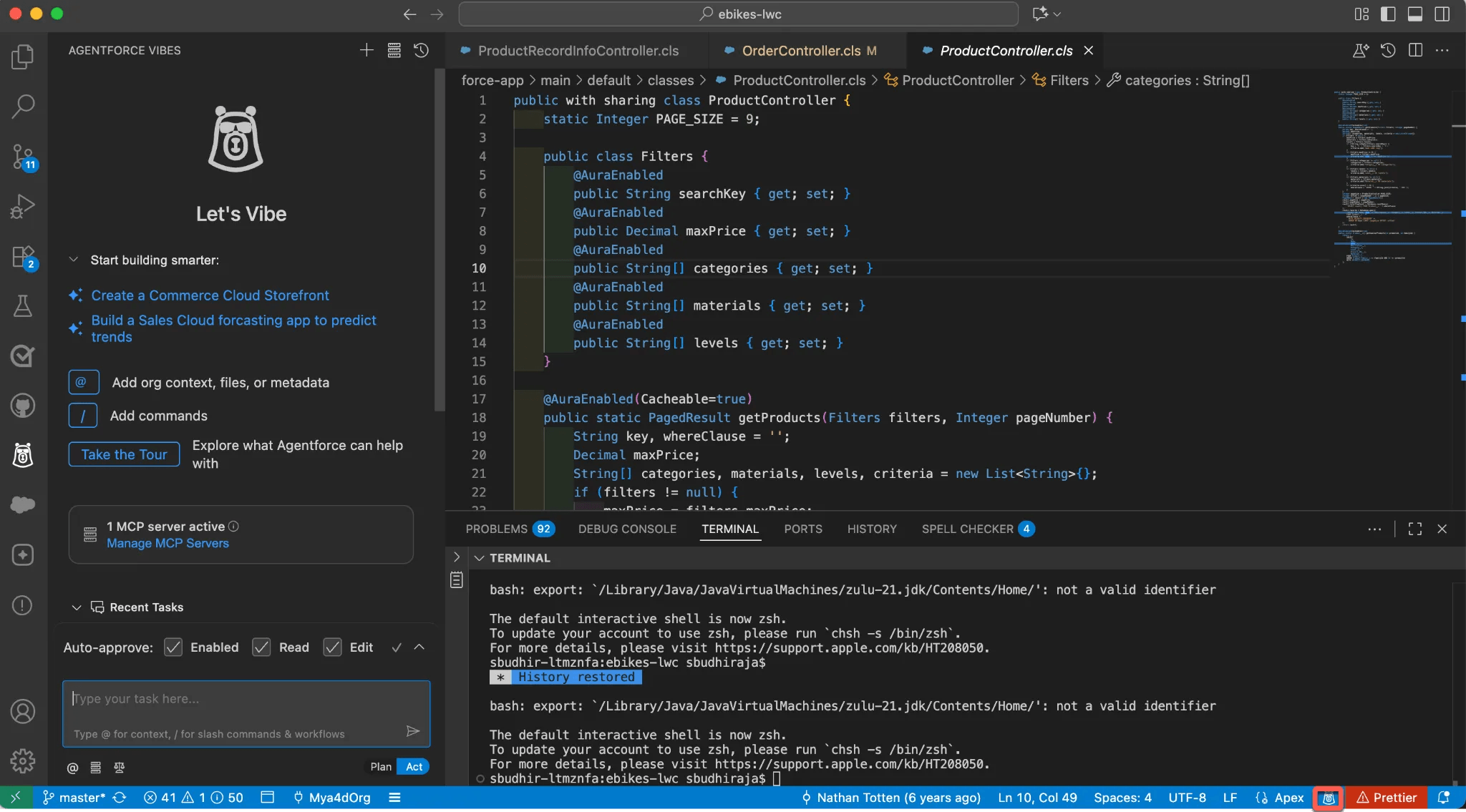
Agentforce Vibes is available as a VS Code extension and a browser-based IDE. Version 2.0 reached general availability in June 2026. Orgs outside Developer Edition pay through Flex Credits or a per-user license.
Pros
- Native to Salesforce: There’s no new vendor to get through procurement, and Vibes connects to your org through Salesforce’s own MCP servers inside the Salesforce trust boundary.
- Made for the platform: Salesforce built Vibes for its own metadata, so it’s designed to understand Apex, LWCs, and Flows.
- Free to try: Developer Edition orgs get 110 requests or 1.5 million tokens free.
Cons
- Still an assistant: A developer drives every session in an IDE, so Vibes speeds up the people who were already building and does little for the admins and analysts who weren’t.
- Governance you can’t rely on yet: Vibes can pick up AI governance policies set in DevOps Center, but that capability is a Developer Preview, and Salesforce’s own documentation says the policies are applied as system prompt instructions with best-effort compliance.
- Stops before release: Salesforce says all AI-generated code should be reviewed before it reaches production. Vibes adds to the volume your pipeline has to handle, and leaves the handling to you.
Salesforce-specific agents from newer vendors
Clientell AI and Cirra AI are similar tools aimed at Salesforce admins, designed to lighten the lift of building flows, fields, reports, and permissions in Salesforce.
Pros
- Admins can build without an IDE: There’s a lower barrier to entry for these tools vs generic AI coding tools.
- Human approval built in: Both tools ask for confirmation before making changes.
Cons
- Bypasses version control: Changes land in your org, not your repo. If version control is your source of truth, every change these agents make is drift waiting to surface at your next deployment.
- No natural point for review: Without a pull request, there’s no place for proper peer review, testing, or static code analysis.
- You still promote every change: In the case of Cirra, you still deploy the changes between environments.
- MCP versions bring generic tools’ upkeep: If you run Clientell MCP or Cirra inside your own Claude Code or Cursor setup, you take on the maintenance work that comes with generic tools as well.
Copado’s Agentia
Copado’s Agentia involves separate agents for different stages — plan, build, test, release, and operate — coordinated by an orchestration agent. You maintain a Context Hub, and design workflows in Agentia Studio.
Pros
- DevOps controls: If you’re using the rest of Copado, changes are controlled by your approval gates, with audit trails and role-based access.
- Configurable setup: You design and tune agents using the Studio and Context Hub.
Cons
- Performance is your job: Agentia puts the burden of configuration and performance on your team. The outputs out of the box are no better than generic tools working with context.
- Agent blind spots: While the agents have context from your org, they still lack understanding, e.g. about what changes might break in production.
- Disparate system to maintain: Several agents plus an orchestration layer is a lot to learn and monitor, and Agentia sits outside the core Copado products.
Cam, the Gearset Agent
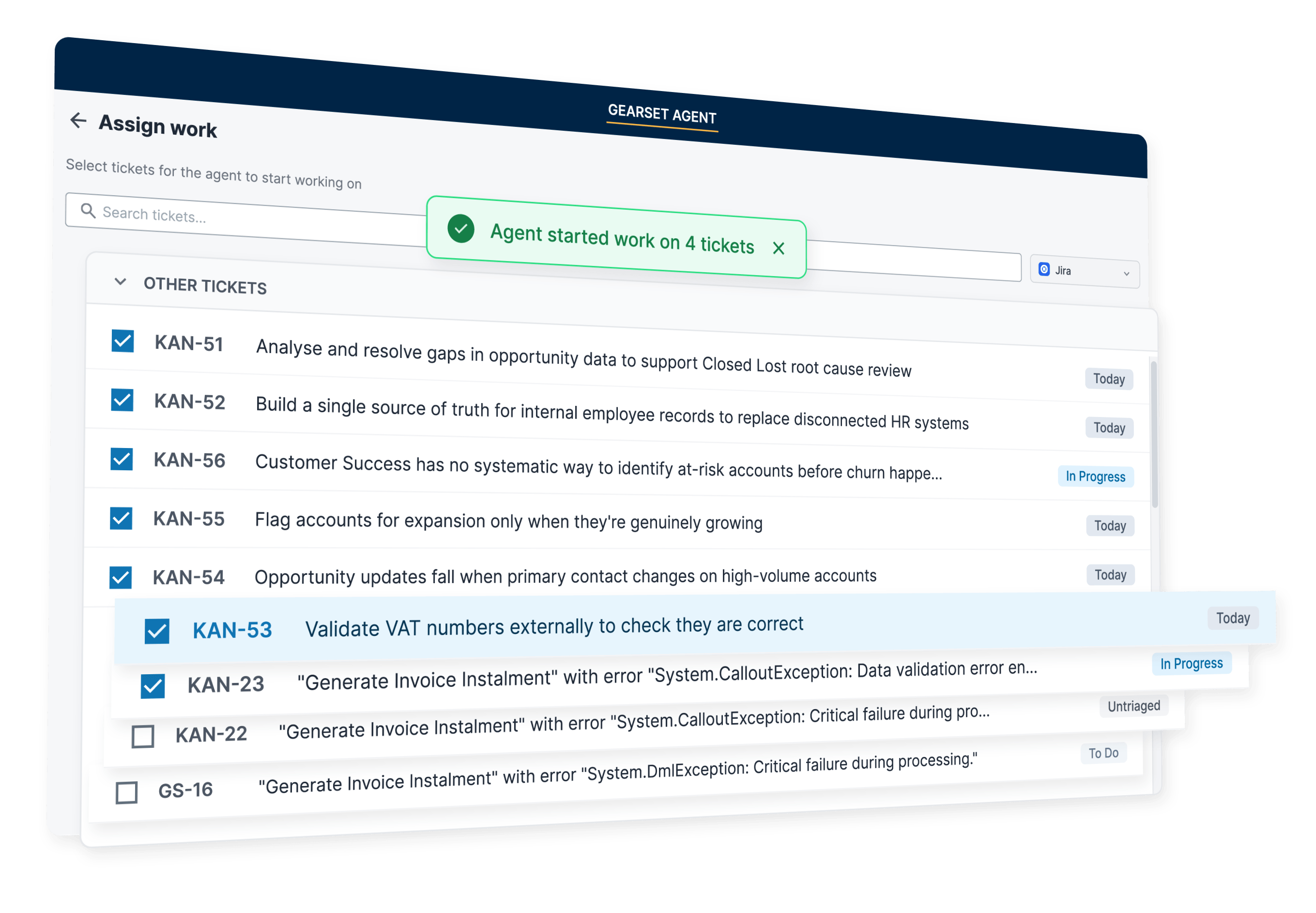
Gearset’s agent, Cam, is your virtual teammate. You describe a task or assign it a ticket, it asks smart questions to clarify any ambiguity, then it comes back with a validated pull request — any validation errors already dealt with.
Cam goes beyond the context of the metadata in your Git repo. It also has a deep and accurate understanding of your org, blending agentic and deterministic analysis. And it can see work in different branches to anticipate upcoming conflicts. With Gearset’s Observability solution, you can also assign production issues like Flow and Apex errors to Cam and it will handle the fix.
Pros
- Builds the right way out of the box: Cam has built-in practitioner expertise based on decades of experience — not just documentation. It understands and follows your org patterns and team standards. You also have the option to direct Cam using a claude.md or agents.md file.
- Anyone on the team can assign work: Cam works in the Gearset UI, so RevOps teams and business analysts can hand it tickets without touching an IDE — and everyone has visibility of all work.
- Governed by default: Cam’s access is managed within Gearset, and every change it makes passes through your DevOps pipeline, with the same automated testing, code reviews, and quality gates your team uses.
- Actively maintained and improving: Gearset keeps Cam up to date with every Salesforce release.
Cons
- Not available to every team yet: Cam currently builds changes for teams on Gearset Pipelines, and takes tickets from Jira or Azure DevOps.
- Other Gearset products add value: Fixing production errors needs Gearset Observability, and fixing Code Review violations needs Gearset Code Reviews.
Find out more
Cam is built to cover both needs from the start of this article: changes you can trust, and a DevOps process that handles the extra volume — on one platform.
Whichever options you evaluate, judge them on the questions that matter: how many of their changes get deployed, how well they understand your org, who on your team can use them, how they’re governed, and what they really cost to run.
Take a look at Cam to see how it works and whether it fits your team.